From Calculator to Workshop: Building Makers Margin 2.0
What is Makers Margin and what happened to 1.0?
I originally built Makers Margin to answer a simple question that every 3D printing enthusiast asks: "How much did this print actually cost me?"
Version 1.0 was a solid MVP (Minimum Viable Product). It was a calculator that took your filament cost, electricity rate, and print time, and gave you a number. It even had a basic list to save your calculations. But as I started using it for real projects, I hit a wall.
I realized that V1 suffered from "Linear Storage." It treated every print as a lonely island. If I printed a "Lamp Base," it saved it. But if that lamp also needed a "Lamp Shade," V1 had no way to group them together.
I was also running into the "IKEA Problem." Real products aren't just one piece of plastic. A finished sellable product is often 3 printed parts, 6 screws, 4 heat-set inserts, and a specific length of wire. V1 couldn't do the math for the whole box—only the individual pieces.
Finally, there was the "iPhone Camera Problem." I often use the same "core" internal part across five different lamp designs—just like an iPhone Pro and Pro Max share the same camera module. In V1, I had to recalculate that core five separate times. I needed a system that let me define a "Core" once and plug it into five different products.
For Makers Margin to be actually useful—and not just a fancy version of the iOS Calculator app—it needed to remember relationships.
The Pivot: Building a System, Not Just a Tool
To solve this, I had to tear down the app's foundation. I moved from a simple flat storage system to a relational database using Apple's SwiftData. This allowed me to restructure the app around three pillars that mirror a real-world workshop:
- The Garage: Where your raw inventory (Filament, Printers, Hardware) lives.
- The Workbench: Where you assemble new projects using those materials.
- The Catalog: Your permanent history of finished, sellable goods.
The MVP Showcase
We just finished the core build of Version 2.0. Here is how the new workflow looks.
The Garage: Inventory Management
Instead of just "Generic PLA," the Garage now supports specific brands and even custom material types like "Carbon Fiber Nylon." More importantly, it features a Hardware Bin. I can now buy a box of 100 screws for $10, and the app automatically calculates that each screw costs $0.10 when used in a build.
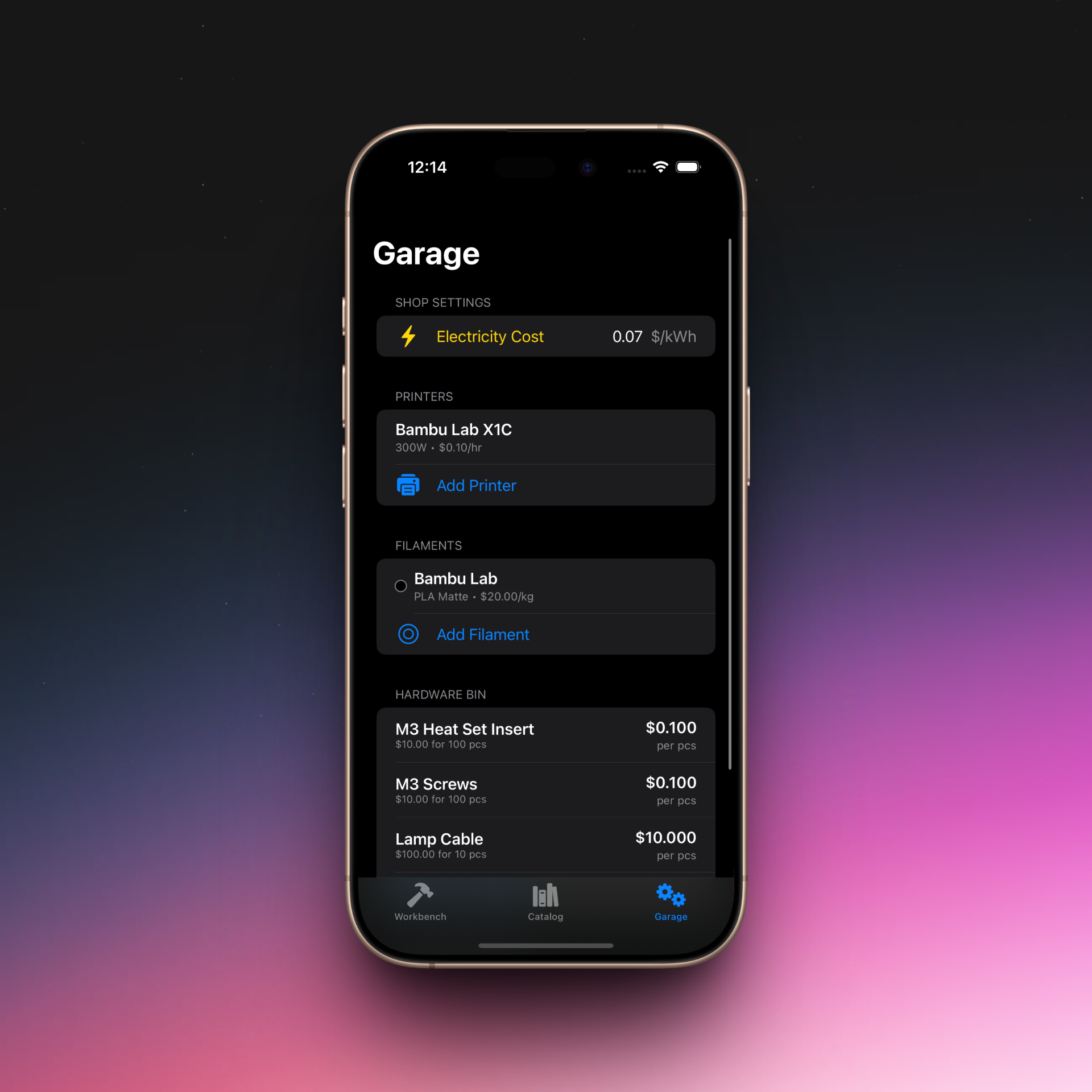 Managing Inventory
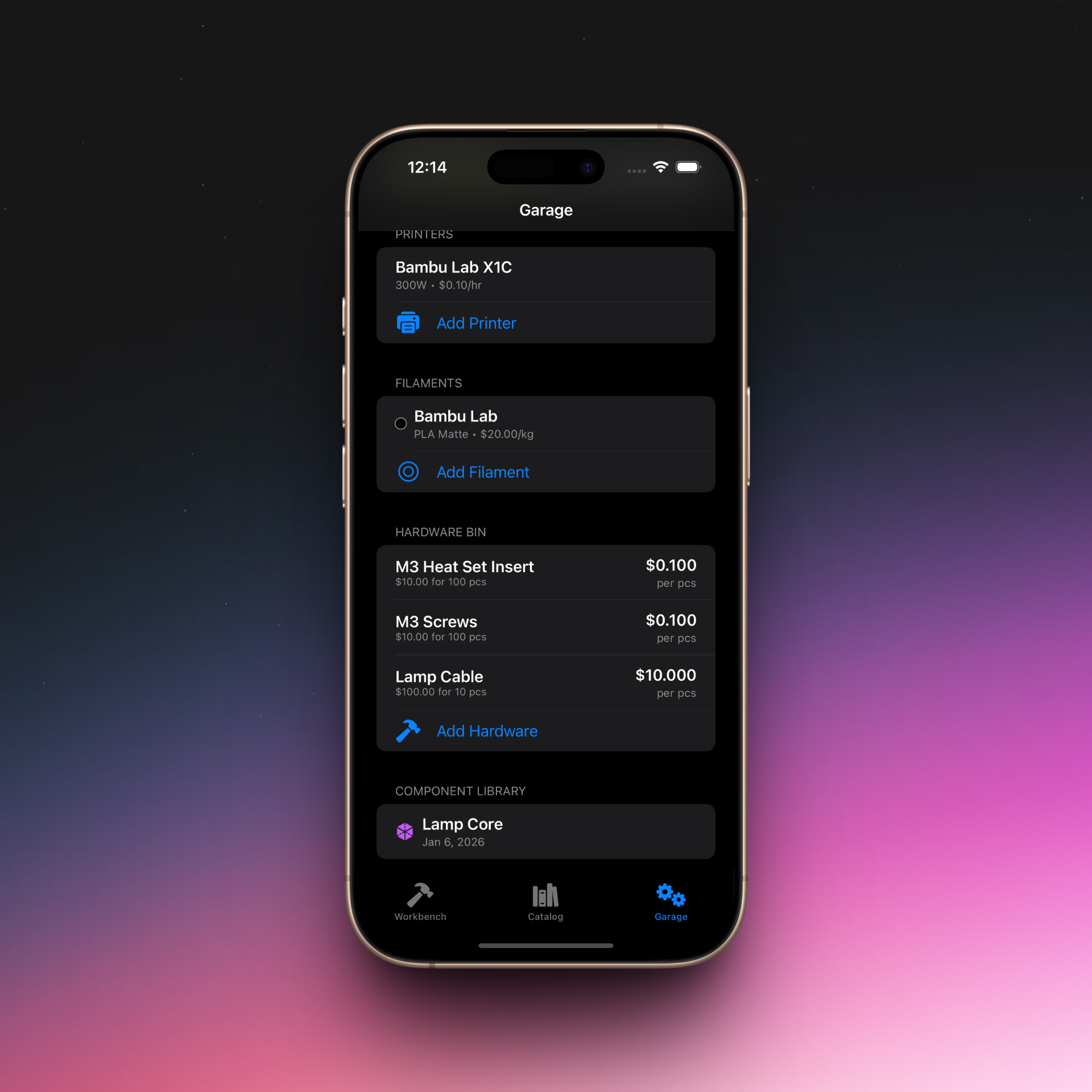 Hardware & Library
The Workflow: From Idea to Project
I kept the "Quick Quote" feature for fast math, but added a bridge. If I calculate a part and like the result, I can now snap a photo of it on the build plate and immediately Start a New Project or save it to a Component Library for later use.
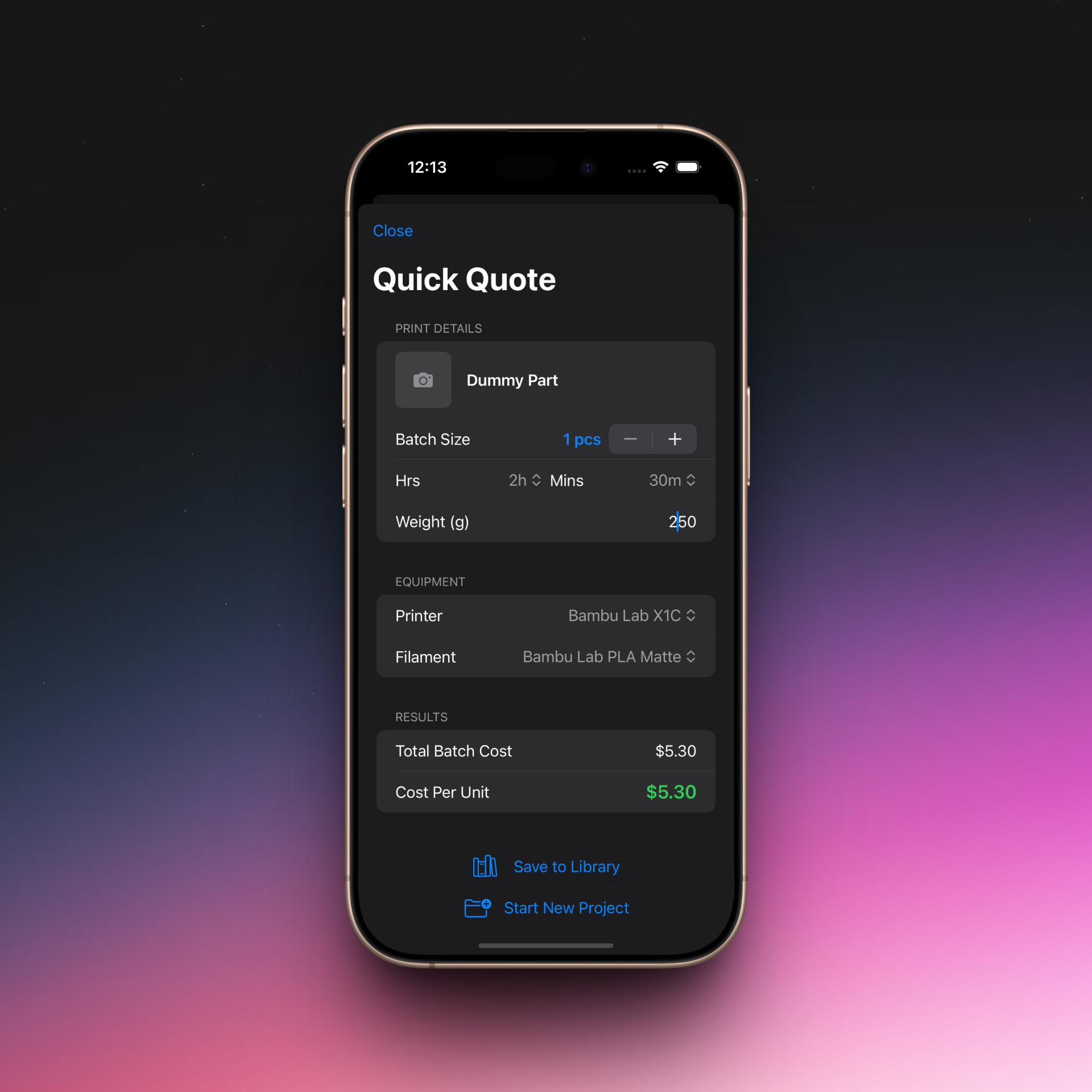 Quick Calculation
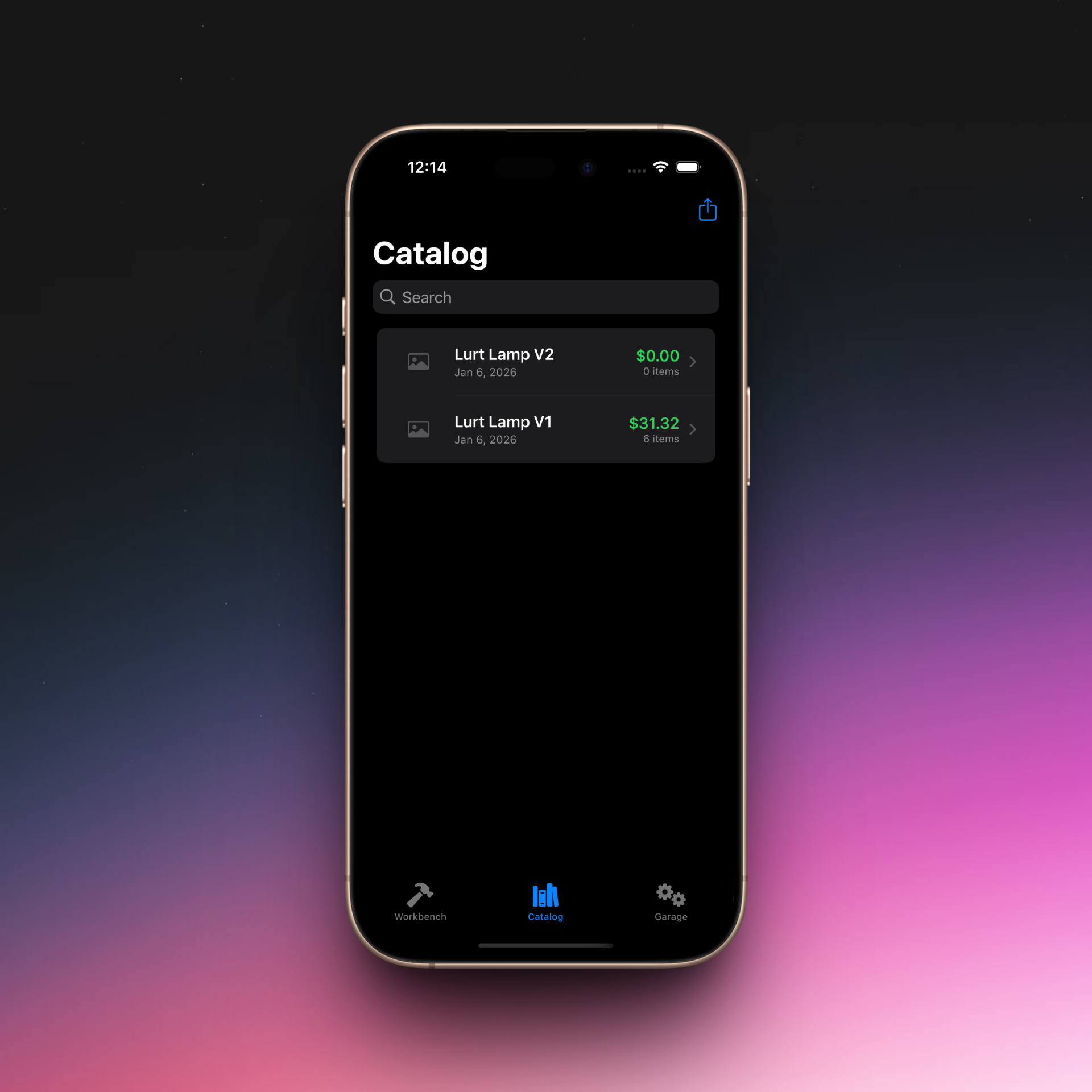 Project Catalog
The Result: Complex Assemblies
This is the power of V2. This "Smart Lamp" project isn't just a number; it's a recipe. It combines multiple printed parts (pulled from my library) with non-printed hardware. The app handles the "Batch Logic" math—calculating the cost per unit even if I print 20 clips at once—and gives me a final suggested retail price based on my target margin.
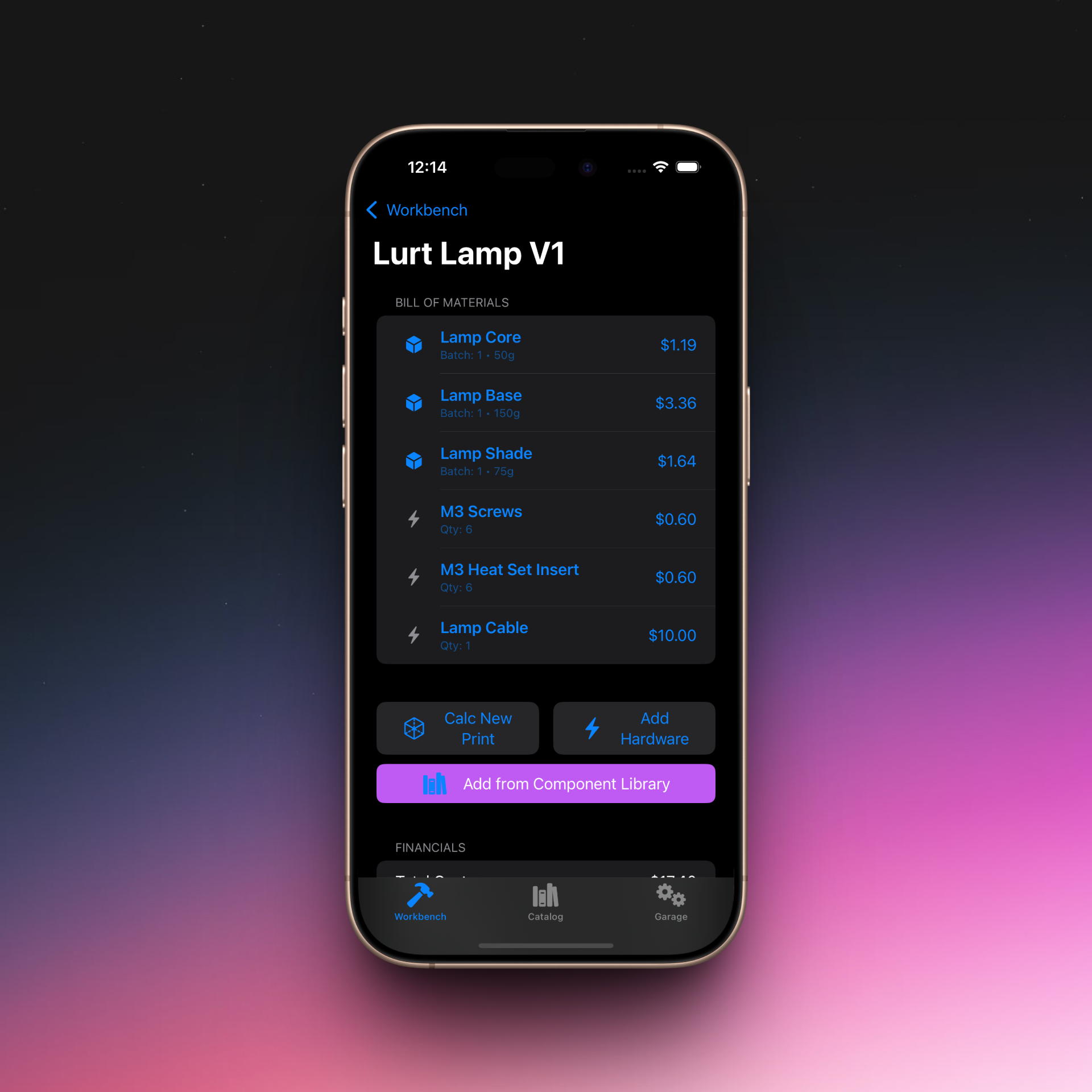 Bill of Materials
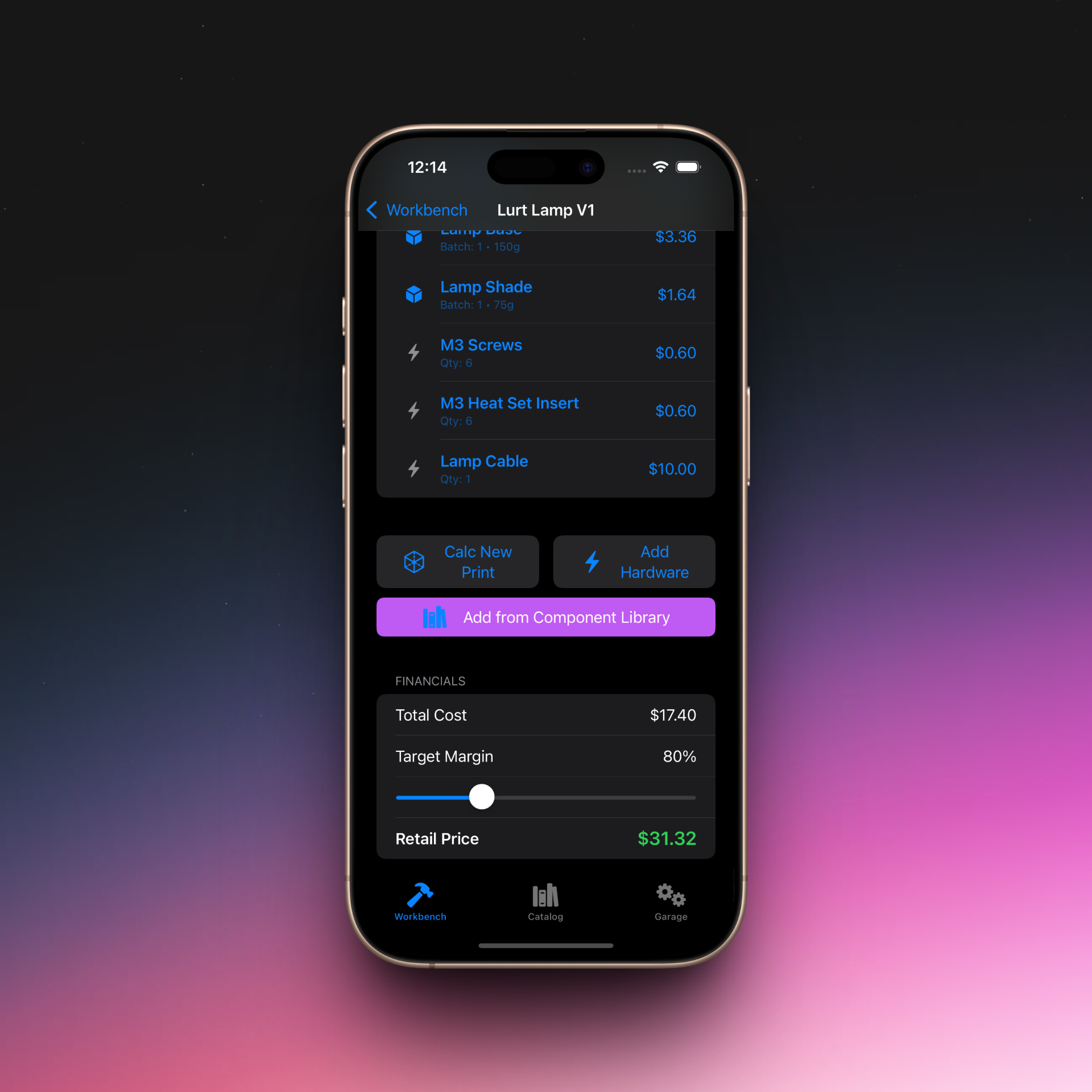 Financials & Margin
Technical Challenges & Wins
Moving to this system wasn't easy. The biggest technical hurdle was Data Integrity versus History.
If I save a "Lamp Core" to my library today at $4.00, and next year the price of plastic goes up, should my old projects update? No. I had to build a "Copy Strategy" where adding a part to a project creates a snapshot of its cost at that moment in time, while still remembering where it came from so I can track usage stats later.
What’s Next? (The Beta Strategy)
Right now, Makers Margin 2.0 is functionally complete. My plan is to release this Beta to friends to "break the math." I want to validate the workflow before I spend weeks on eye candy.
Once the core is rock solid, we have some exciting UI polish planned for Phase 3, including:
- Parallax Headers: Replacing the thumbnails with beautiful, fading project covers.
- Interactive 3D Models: Importing .usdz files so you can spin the 3D model of your part right in the app header.
- A Theming Engine: Customizing the look and feel to match your personal workshop vibe.
The goal is to build the tool I actually need: a "Mini-ERP" for makers that fits in my pocket.
Makers Margin 2.0 is currently in private testing. If you are interested in beta testing or have feature ideas, feel free to reach out.